
Accounts payable
Billing vs delivery address: coding multi-site invoices automatically
When suppliers bill head office for deliveries to several sites, the delivery address decides the cost centre. Attelas applies it with a plain-language coding rule.
Many suppliers send every invoice to head office, even when the goods went to a shop, a depot or a client site. The invoice shows two addresses: the billing address and the delivery address. The delivery address usually tells you which cost centre should carry the cost.
Most Accounts Payable software does not use that information. The invoice drops out of automation and someone codes it by hand. In our experience that takes 4 to 7 minutes per invoice on average, and the mistakes surface later as month-end journals.
Attelas now handles this with a coding rule written in plain English.
Why the delivery address matters
For a business with several sites, the billing address is almost always the same: head office, or a central AP mailbox. It says who pays. It says nothing about where the cost belongs.
The delivery address does. A cleaning contract delivered to the Liverpool site belongs to Liverpool. Stationery delivered to the London depot belongs to London. The information is on the invoice. The difficulty is that suppliers write it differently every time.
One supplier writes the venue name. Another writes the street. A third writes only the postcode. Rules that look for an exact string fail on all but one of them, so the AP team codes the rest manually.
How the coding rule works
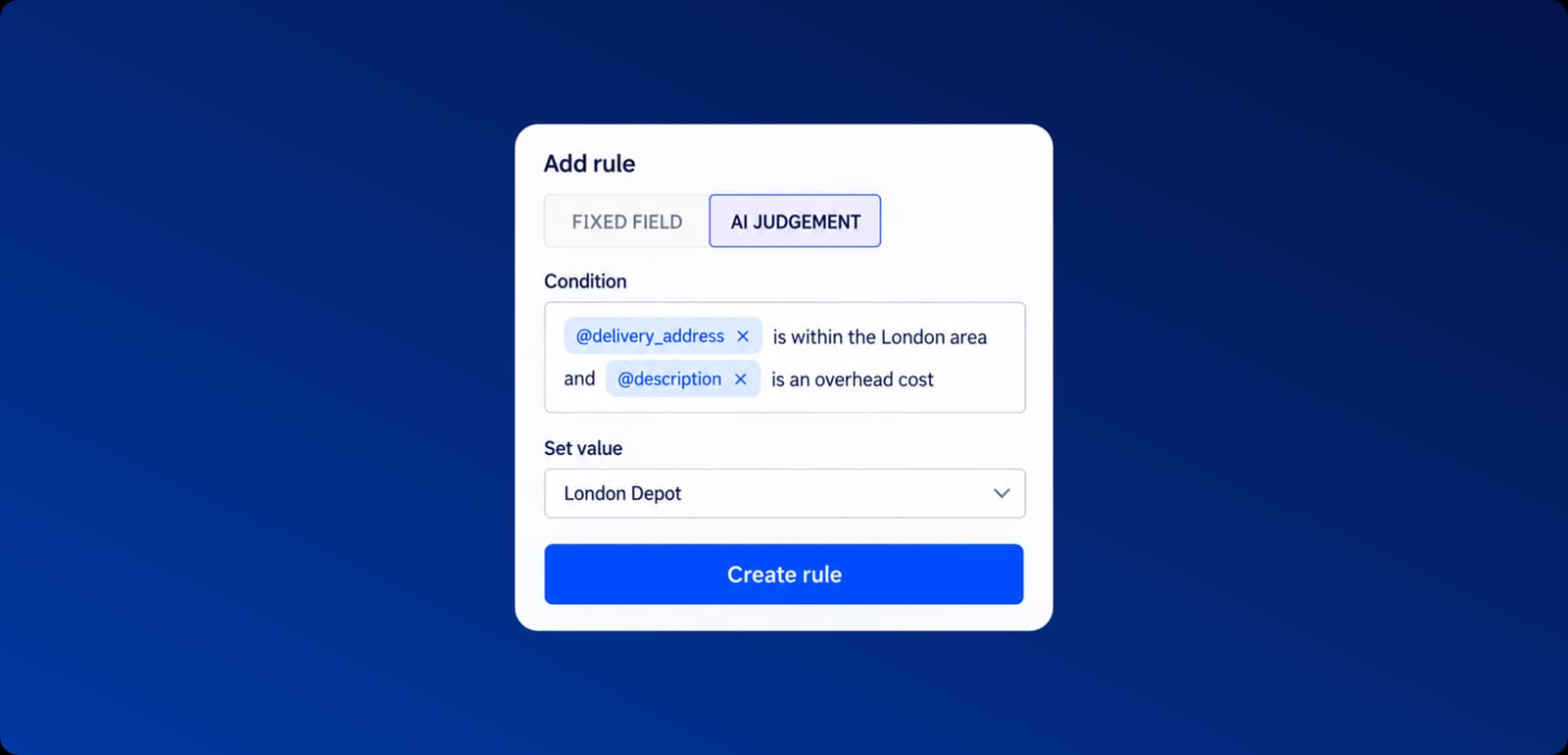
In Attelas, an AP team adds a coding rule in the invoice settings. Each rule has a condition and a value to apply.
There are two modes:
- Fixed field applies a value when a captured field matches exactly.
- AI judgement applies a value when a condition described in plain English is met.
The condition can refer to data Attelas has captured from the invoice, such as the delivery address and the line description. For example:
@delivery_addressis within the London area and@descriptionis an overhead cost
Set the value to the London Depot cost centre and save. From then on, Attelas applies that cost centre to matching invoice lines and leaves the rest of the coding to your other rules. The team still reviews the invoice before it posts to the ERP.
Worked example: one site, three descriptions
Suppose a hospitality group runs a venue at The Cavern Club, 10 Mathew Street, Liverpool L2 6RE, with its own cost centre. Head office receives invoices from three suppliers:
| Supplier | Delivery address as written | Cost centre applied |
|---|---|---|
| Supplier A | The Cavern Club | [Cavern Club cost centre] |
| Supplier B | 10 Mathew Street | [Cavern Club cost centre] |
| Supplier C | L2 6RE | [Cavern Club cost centre] |
An exact-match rule would catch one of these at most. An AI judgement rule describing the site catches all three, because Attelas recognises that the venue name, the street address and the postcode refer to the same place.
The AP team writes the rule once. Each new invoice for that site arrives with the cost centre already applied, ready for review.
What changes for the AP team
- Multi-site invoices stay in the automated flow instead of joining the manual coding queue.
- Coding follows one written rule per site, so two people no longer code the same invoice differently.
- Fewer miscoded lines reach the ledger, which means fewer corrections at month end.
- Rules read as plain English, so the Controller can check what the system will do without reading a configuration file.
The same approach works for G/L codes as well as cost centres, and for any condition you can describe from the captured invoice data.
See it on your invoices
If your AP team codes multi-site invoices by hand, we can show you the rule working on examples from your own suppliers. Book a demo.